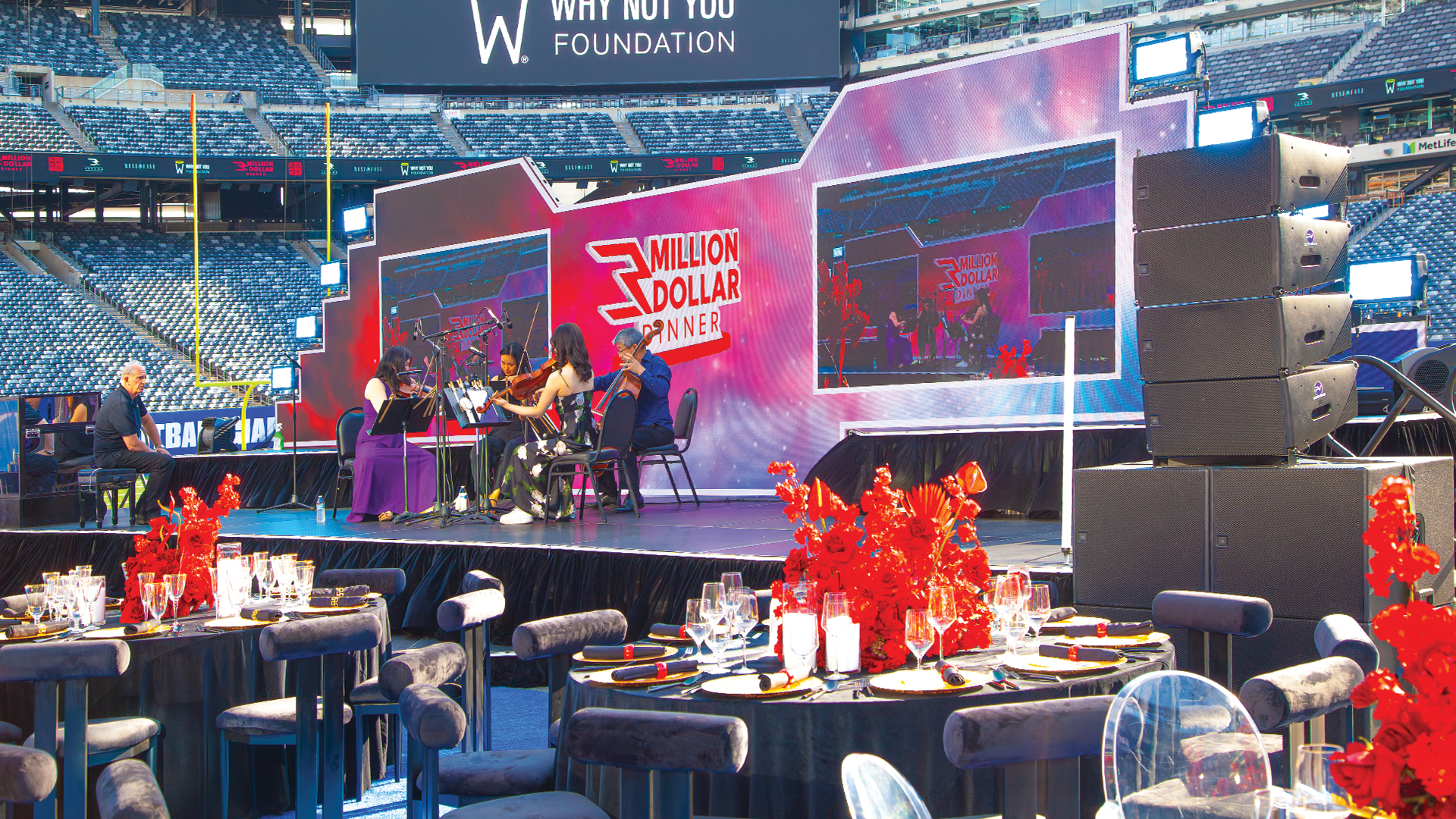
The explosion of LED volume production techniques—pioneered by shows like The Mandalorian and now standard across live events—has created a persistent technical challenge. That mesmerizing LED wall looking perfect to your eye transforms into a strobing nightmare through your camera’s viewfinder. Understanding the physics behind this phenomenon and implementing proper solutions separates professional captures from unusable footage.
The Science Behind LED Flicker
LED flicker occurs because LED panels don’t emit continuous light like incandescent bulbs. Instead, they pulse rapidly using a technique called Pulse Width Modulation (PWM). This pulsing controls brightness by varying how long the LEDs remain illuminated during each cycle. Your brain perceives the rapid pulses as steady light, but camera sensors scanning across the frame capture different pulse states in different portions of the image.
The specific culprit is the interaction between PWM refresh rate and your camera’s shutter behavior. Rolling shutter sensors—standard in most cameras—don’t capture the entire frame simultaneously. Instead, they scan line by line, meaning different portions of the frame see the LED wall at different points in its pulsing cycle. This creates the characteristic horizontal banding that plagues poorly configured shoots.
Understanding Panel Specifications
Before filming any LED wall, obtain its technical specifications from the manufacturer. ROE Visual, Absen, Brompton Technology, and other professional manufacturers publish refresh rate specifications indicating the panel’s PWM frequency. Higher refresh rates generally reduce flicker visibility, with professional broadcast panels typically operating at 3840Hz or higher.
The Brompton Tessera processing system commonly used with high-end LED installations offers sophisticated flicker reduction through its Extended Bit Depth processing. This technology increases the effective refresh rate beyond the panel’s native capability, significantly reducing banding issues. Understanding your processing system’s capabilities proves as important as knowing the panels themselves.
Camera Settings That Combat Flicker
The primary weapon against LED flicker is precise shutter angle control. Your shutter speed must align mathematically with the LED’s refresh rate to ensure each frame captures complete PWM cycles. The fundamental formula involves matching your exposure time to multiples of the LED’s refresh period.
For a panel refreshing at 3840Hz, one complete cycle lasts approximately 0.26 milliseconds. Your shutter speed should equal this period multiplied by a whole number. Shooting at 24fps with a 180-degree shutter yields roughly 1/48 second exposure—about 20.8 milliseconds. This captures approximately 80 complete refresh cycles, providing smooth results. Problems emerge when fractional cycles create partial illumination visible as banding.
Professional cinema cameras like the ARRI ALEXA and RED V-Raptor offer extremely precise shutter angle adjustments in fractional degree increments. This precision allows cinematographers to fine-tune exposure duration until banding disappears. Lower-end cameras with limited shutter options may struggle to achieve flicker-free results.
Frame Rate Considerations
Your chosen frame rate significantly impacts flicker visibility. Standard rates of 24, 25, and 30fps typically work well with most professional LED walls. Problems multiply with high frame rate capture for slow motion. Shooting at 120fps for dramatic slow motion reduces each frame’s exposure time, making alignment with refresh cycles exponentially more difficult.
When slow motion is essential, coordinate with the LED wall technician to increase panel refresh rate if possible. Some processing systems allow real-time refresh rate adjustment. Alternatively, plan slow-motion shots for moments without LED walls in frame, or accept the additional post-production work required to remove banding artifacts.
Genlock Synchronization Solutions
The most reliable flicker elimination involves genlock synchronization between your camera and the LED system. Genlock slaves your camera’s sensor readout to the LED wall’s refresh timing, ensuring every frame captures perfectly aligned cycles. This requires both camera and LED processor capable of accepting external sync signals.
Professional broadcast setups routinely genlock all cameras to a master sync generator. For LED volume work, the Brompton Tessera can accept genlock input and synchronize its output accordingly. Cameras receive the same sync signal, creating perfect alignment throughout the signal chain. This approach eliminates guesswork from shutter calculations.
Implementing genlock requires proper infrastructure. A sync pulse generator from manufacturers like AJA or Blackmagic produces the reference signal. BNC cables distribute this signal to all synchronized devices. The additional hardware investment pays dividends in reduced troubleshooting and guaranteed results.
Practical On-Set Testing Protocol
Never assume your settings will work—always conduct on-site flicker tests before talent arrives. Record test footage at every planned frame rate and shutter combination. Review footage at 100% magnification on a calibrated monitor, paying attention to areas displaying moving content where banding becomes most visible.
Create a systematic testing procedure: Start with standard settings, then adjust shutter angle in small increments while recording each variation. Document settings that work and those that fail. This database of proven configurations streamlines future shoots with similar equipment combinations.
Watch for interaction between LED wall content and flicker visibility. Static images often hide banding that becomes obvious when content moves. Test with the actual playback content planned for your shoot, including any animations, video clips, or dynamic graphics that will appear during production.
Processing System Configuration
LED processing systems offer various flicker reduction features beyond basic refresh rate settings. Brompton’s Extended Bit Depth mode multiplies effective refresh rate through sophisticated driver control. Novastar MCTRL4K processors include specific broadcast modes optimizing output for camera capture.
Coordinate with the LED technician to enable appropriate processing modes before filming. These settings may affect color reproduction or brightness uniformity, requiring compromise between flicker-free capture and optimal visual appearance. Document the specific processor settings used for each successful configuration.
Post-Production Rescue Options
When prevention fails, post-production tools can sometimes salvage footage. DaVinci Resolve includes deflicker plugins that analyze frame-to-frame luminance variations and smooth inconsistencies. Third-party tools like RE:Vision Effects DE:Flicker offer more sophisticated algorithms for severe cases.
These tools work best with subtle banding; severe flicker may resist digital correction. The processing adds render time and can introduce artifacts, making prevention always preferable to cure. Budget additional post-production time when shooting situations make flicker-free capture difficult.
Working With Rental Equipment
Rental LED walls present additional challenges since you may not know specifications until load-in day. Request detailed technical documentation from the rental house during pre-production. Confirm processing system type, available refresh rates, and whether genlock capability exists.
Include contractual provisions requiring panels meeting minimum refresh rate specifications for broadcast use. Specify that panels must achieve at least 3840Hz refresh rate with Extended Bit Depth processing available. These requirements protect against showing up to find rental panels inadequate for professional filming.
The marriage of LED wall technology and camera capture continues evolving. Manufacturers increasingly design panels specifically for virtual production environments, with flicker-free operation as a primary design criterion. Understanding the underlying physics and available solutions ensures your productions harness this powerful technology without the flickering artifacts that betray the illusion.
