Introduction
In modern events, stage visuals are more than decoration—they are a powerful tool to communicate brand messaging. Custom motion graphics transform stages into dynamic storytelling platforms, engaging audiences, reinforcing identity, and leaving lasting impressions. AV production teams now integrate motion graphics with LED walls, projection mapping, and lighting to create cohesive, high-impact experiences for conferences, product launches, and concerts.
The Evolution of Stage Graphics
Stage graphics have evolved dramatically over the last three decades. Early events relied on static banners, slides, and projectors. With the rise of LED video walls, projection mapping, and advanced media servers like Disguise, Pandoras Box, and Avolites Ai, stages became immersive canvases. Brands like Apple, Nike, and Microsoft began using dynamic content to tell stories, connect with audiences, and reinforce messaging beyond what speakers could convey alone.
Understanding Custom Motion Graphics
Custom motion graphics are tailored animations designed to communicate specific brand messages. These include animated logos, infographics, kinetic typography, and visual narratives that align with the event’s theme. Designers use tools like Adobe After Effects, Cinema 4D, and Notch to create high-resolution, real-time visuals that work seamlessly with LED surfaces and projection systems.
Integration With LED Walls
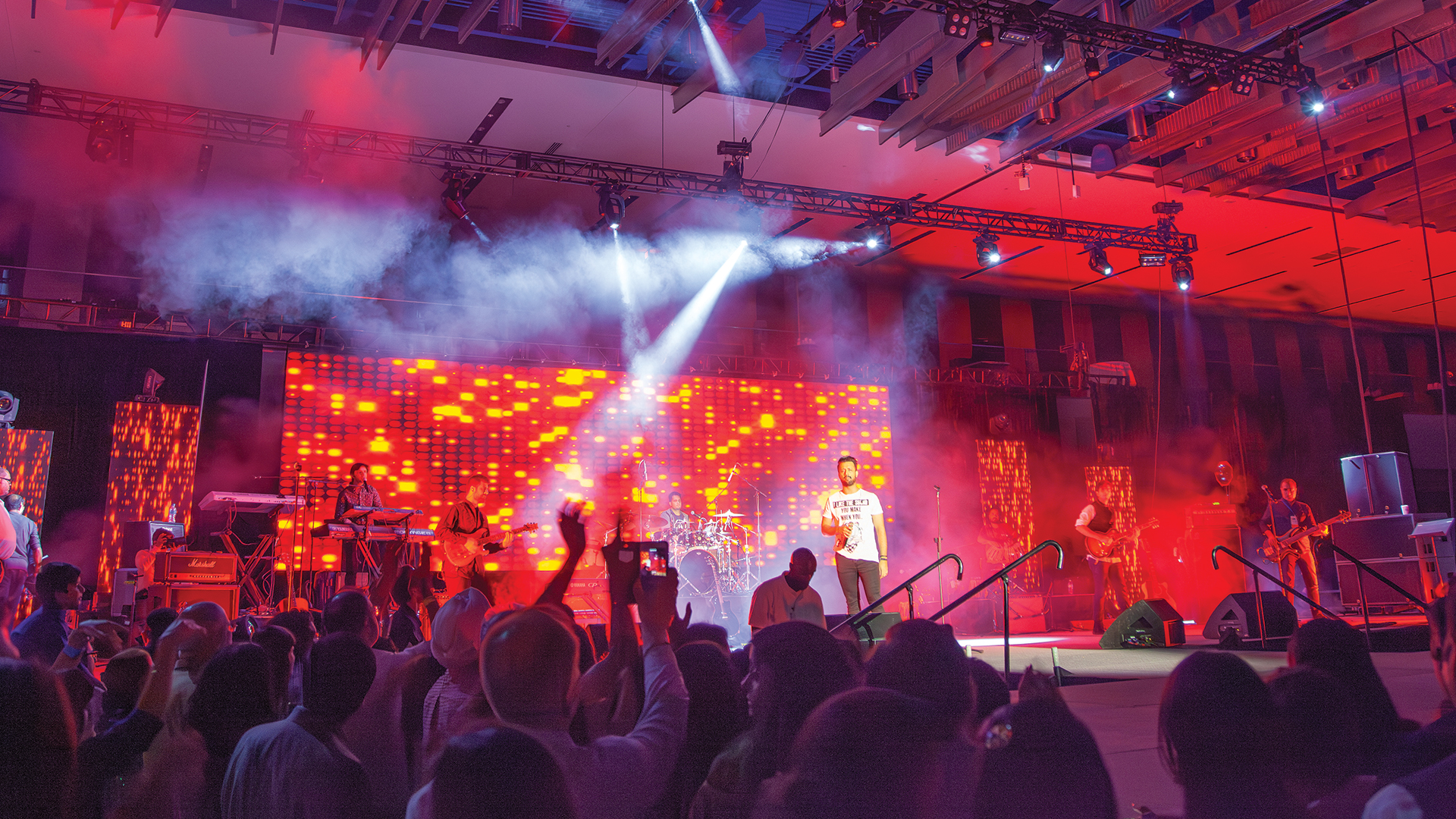
LED walls are the primary canvas for motion graphics on stage. Brands like ROE Visual, Absen, and Unilumin provide modular panels capable of high-resolution displays with HDR support. Motion graphics designers must consider pixel pitch, aspect ratio, brightness, and refresh rate to ensure clarity and color accuracy. Synchronizing content with stage lighting, performers, and video feeds enhances storytelling impact.
Synchronizing Graphics With Lighting and Audio
Custom motion graphics are most effective when integrated with lighting and audio cues. Lighting consoles like grandMA3, ChamSys MQ, or ETC Eos can synchronize moving lights with visual content. Audio cues from line arrays by JBL, Meyer Sound, or L-Acoustics complement visual rhythms. This multi-sensory synchronization ensures presentations feel cohesive and immersive, reinforcing brand messaging subconsciously.
Storytelling Through Visual Content
Strong brands use motion graphics to tell stories rather than just decorate. Animated product demos, timelines, or customer journey visualizations make complex ideas digestible. Kinetic typography emphasizes key phrases, while dynamic infographics convey data with clarity and flair. By aligning content design with strategic messaging, motion graphics amplify communication effectiveness, ensuring audiences remember the brand story long after the event.
Real-Time and Interactive Graphics
Modern stages often feature interactive motion graphics. Using software like TouchDesigner, Notch, or Resolume Arena, designers create visuals that respond to audience input, live data, or performer movement. Interactive motion graphics boost engagement, encourage social media sharing, and allow brands to adapt messaging dynamically during live events.
Brand Consistency and Design Guidelines
Maintaining brand consistency is critical. Motion graphics should follow brand color palettes, typography, and visual guidelines. Incorporating logos subtly, animating brand motifs, and adhering to visual identity ensures that every stage element reinforces the brand without overwhelming the audience. Designers often collaborate closely with marketing teams to align visuals with overarching campaigns.
Technical Considerations for Motion Graphics
Several technical factors influence successful implementation:
-
Resolution and pixel mapping: Ensures visuals display correctly on LED walls of varying size and shape.
-
Frame rate and refresh rate: Prevents flicker or motion artifacts on large screens.
-
Content playback: Media servers like Disguise or Pandoras Box manage multi-layered content across multiple screens.
-
Timing and cueing: SMPTE timecode, Art-Net, or sACN protocols synchronize graphics with lighting and audio.
Case Studies: Effective Brand Messaging
Brands like Samsung, Google, and Tesla showcase the power of motion graphics. Samsung’s product launches feature animated device interactions projected across LED walls, creating immersive experiences that highlight features. Tesla uses motion graphics to visually explain innovations in energy and automotive technology. Google employs kinetic typography to emphasize slogans and showcase user impact data during keynotes.
Future Trends in Motion Graphics
The future of custom motion graphics is moving toward AI-assisted content creation, augmented reality, and 3D projection mapping. Real-time data-driven graphics, interactive floor and ceiling visuals, and integration with mobile applications will further enhance audience engagement. Motion graphics will not just illustrate a message—they will actively participate in storytelling and audience interaction.
Practical Tips for AV Teams
-
Start with clear messaging goals and align visuals to story arcs.
-
Test graphics on the actual LED setup to verify resolution and color accuracy.
-
Use media servers capable of multi-layer playback and real-time adjustments.
-
Integrate lighting, audio, and motion cues to synchronize the entire stage.
-
Keep brand guidelines consistent across every visual element.
-
Previsualize the show in software like Unreal Engine or Vectorworks Spotlight to minimize onsite errors.
Conclusion
Custom motion graphics are more than decorative visuals—they are powerful tools for driving brand messaging on stage. When integrated with LED walls, lighting, audio, and interactive elements, motion graphics transform events into memorable experiences. AV professionals who master the art of design, synchronization, and technical execution ensure that every audience member receives a cohesive, immersive, and memorable brand story.
